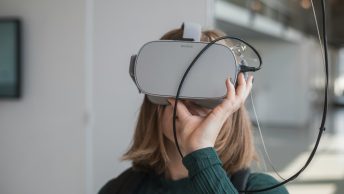
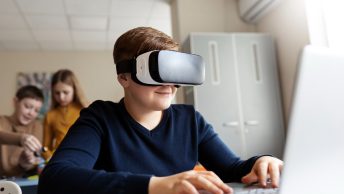
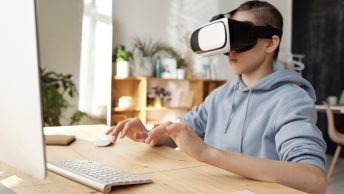
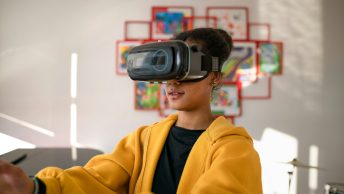
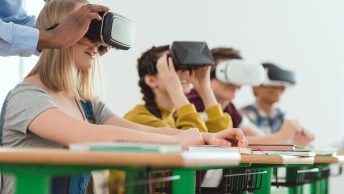
Virtual Reality, or VR, can transform your classroom into an immersive learning environment. It allows students to explore new worlds, travel back in time, and experience scenarios that would be impossible in a traditional setting. This makes learning more engaging and fun. VR can captivate your students’ imaginations and foster a deeper understanding of complex subjects.
Getting started with VR might seem daunting, but it’s easier than you think. With the right equipment and software, you can quickly set up VR lessons for your students. Many of the VR tools available today are designed to be user-friendly. This means you don’t need to be a tech wizard to introduce VR in your lessons. The key is to focus on creating experiences that are both educational and enjoyable.
In this article, we will explore how you can get started with VR in your classroom. We will look at choosing the right VR tools and software, designing engaging VR lessons, and tips for ensuring your VR lessons run smoothly. These steps will help you bring the magic of VR to your students and create an unforgettable learning experience. So let’s dive in and see how VR can make your lessons come alive!
Getting Started with VR in the Classroom
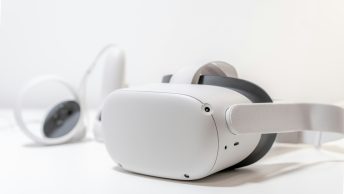
Starting with VR in your classroom is simpler than you might think. First, you’ll need some basic equipment. At the very least, you’ll need a VR headset. There are different types to choose from, like the Oculus Quest or HTC Vive. These vary in price and features, so pick one that fits your classroom needs and budget.
Next, ensure you have a VR-ready space. It doesn’t need to be a huge area, but it should be free of obstacles so students can move safely. Having a dedicated VR corner in your classroom can be helpful. Make sure to familiarize yourself with the VR headset and its controls before introducing it to your students. This way, you can guide them through their first VR experience with confidence.
Additionally, consider the technical requirements. You’ll need a computer that can handle VR if you’re using a wired headset like the HTC Vive. Check the system requirements of the VR headset you choose to ensure compatibility. Once everything is set up, conduct a test run to troubleshoot any issues before you bring in the students.
Choosing the Right VR Tools and Software
The right VR tools and software can make all the difference. Start by exploring platforms like Google Expeditions and CoSpaces Edu. These are user-friendly and designed for educational use. Google Expeditions offers virtual field trips, allowing your students to explore places like the Great Wall of China or the surface of Mars without leaving the classroom.
CoSpaces Edu, on the other hand, lets students create their own VR experiences. This can be a great way to engage them in subjects like history, science, or even storytelling. The platform is intuitive, making it easy for both teachers and students to use.
For more advanced VR lessons, consider software like Nearpod VR. This tool integrates VR experiences into interactive lessons, quizzes, and discussions. It’s an excellent way to keep students engaged while ensuring they’re learning the material. Remember to read reviews and trial different options to find what best suits your teaching style and curriculum.
With the right tools and software, you can transform your classroom into a dynamic learning environment. Invest some time in exploring these options to make the most out of your VR lessons. This will not only captivate your students but also enhance their learning experience dramatically.
Designing Engaging VR Lessons
Creating engaging VR lessons requires some planning. Start by identifying your lesson goals. What do you want your students to learn from this VR experience? Once you have clear objectives, you can choose VR content that aligns with those goals.
Consider integrating interactive elements. For example, if you are teaching geography, use a VR program where students can explore different countries and landmarks. Encourage them to interact with the environment and gather information. This makes learning more active and less passive.
Another tip is to blend VR with traditional teaching methods. Use VR to introduce a topic or concept, and then follow up with discussions, worksheets, or projects to reinforce what was learned. This helps students apply their VR experiences to real-world contexts. Remember, VR is a tool to enhance learning, not replace traditional methods entirely.
Tips for a Smooth VR Lesson Experience
To ensure a smooth VR lesson, take a few steps ahead of time. First, familiarize yourself with the VR equipment and software. Practice using it before the lesson so you can troubleshoot any issues quickly. This will make the experience seamless for your students.
Set clear guidelines for your students. Explain how to use the VR headset safely and what to do if they feel dizzy or uncomfortable. Make sure to supervise them closely, especially if it’s their first time using VR. This helps prevent accidents and ensures everyone has a positive experience.
Lastly, have a backup plan. Technology can sometimes be unpredictable, so prepare an alternative activity in case something goes wrong with the VR setup. This way, your lesson can continue smoothly without interruption. Keeping these tips in mind will help you deliver a successful VR lesson.
Conclusion
Virtual Reality offers exciting opportunities to make learning more engaging and interactive. By starting with the right equipment, choosing suitable VR tools, designing engaging lessons, and preparing for a smooth experience, you can successfully integrate VR into your classroom. These steps can significantly enhance your students’ learning and make lessons more enjoyable.
If you’re ready to bring VR into your classroom, start exploring different tools and resources today. With a bit of preparation, you can create unforgettable learning experiences for your students.
At Teachers Tech, we’re here to help you gain the confidence to use technology effectively for online teaching. Explore our resources and get started on your VR journey today!