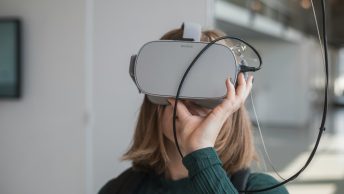
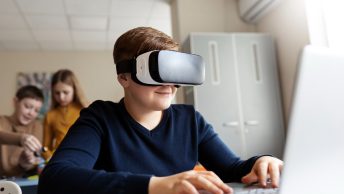
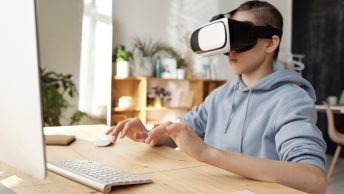
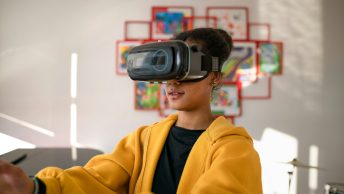
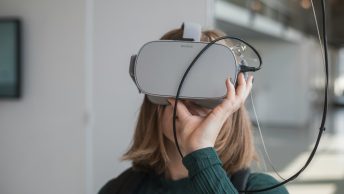
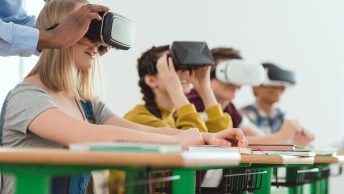
Virtual Reality (VR) is revolutionizing the way we teach and learn. Creating VR projects for students can transform traditional lessons into immersive and interactive experiences. Imagine taking your students on a virtual tour of ancient Rome, or letting them explore the depths of the ocean—all from the comfort of your classroom.
Selecting the Right VR Tools and Software
Choosing the right VR tools and software is essential for creating effective and engaging VR projects for your students. Start by looking for platforms that offer a wide range of educational content, like Microsoft’s Mixed Reality or other education-focused VR tools. These platforms often come with pre-built educational experiences that can be easily integrated into your curriculum.
Make sure the VR tools are user-friendly. You want software that is easy for both you and your students to navigate. Platforms with simple interfaces and clear instructions will help reduce the learning curve and allow you to focus more on the content and teaching rather than the technology itself. Consider tools that offer drag-and-drop features or templates specifically designed for educational purposes.
Compatibility is another crucial factor. Ensure that the VR tools you select work well with the devices you have in your classroom. Check if the software can be used on a variety of devices, such as VR headsets, tablets, or even desktop computers. This flexibility ensures that all students can participate, regardless of the hardware available to them.
Lastly, look for tools that provide support and training resources. Many VR platforms offer tutorials, guides, and customer support to help you get started and troubleshoot any issues. These resources are particularly useful if you’re new to VR technology and need a little extra help getting set up.
Planning and Designing Your VR Project
Planning and designing your VR project involves several steps to ensure it meets educational goals and keeps students engaged. Start by defining the objectives of your VR project. Decide what you want your students to learn and how the VR experience will help achieve these goals. Clear objectives will guide your design and make the project more focused and effective.
Next, sketch out the VR environment. Think about the virtual setting where the learning will take place. For example, if you’re teaching a history lesson, you might design a VR experience that takes students back in time to a historical site. Consider the elements that will be included in the VR space, such as interactive objects, soundscapes, and visual effects that enhance the learning experience.
Involve students in the planning process. Get their input on what they would like to explore in a VR project. This can increase their interest and investment in the lesson. Encourage them to brainstorm ideas and suggest interactive elements they would find engaging. Their feedback can provide valuable insights and help tailor the project to be more student-friendly.
Create a storyboard or a flowchart to outline how the VR experience will unfold. This helps visualize the sequence of events and activities within the VR environment. Planning out each step ensures a smooth and logical progression through the lessons, which helps keep students engaged and focused on the learning objectives. Regularly review and refine your plan to ensure it aligns with your educational goals and provides an enriching experience for your students.
Integrating Educational Content
Integrating educational content into your VR project is the next crucial step. The goal is to align the VR experience with your learning objectives and curriculum standards. Start by choosing content that supports your lesson plans. For instance, if you’re teaching biology, you might select VR experiences that explore the human body or different ecosystems. Ensure that the content you choose is age-appropriate and relevant to students’ studies.
Use interactive elements to make the VR experience more engaging. Incorporate quizzes, puzzles, and challenges that students can complete within the VR environment. This helps reinforce the material and keeps students actively involved in the learning process. For example, students could participate in a virtual treasure hunt that requires them to answer questions about the subject matter to find the next clue.
Supplement the VR experience with additional resources. Provide students with worksheets, discussion questions, and hands-on activities that complement the VR lesson. By combining virtual and real-world activities, you can create a comprehensive learning experience that covers multiple aspects of the topic. This method also helps cater to different learning styles, ensuring that all students benefit from the lesson.
Implementing and Assessing VR Projects in Class
Implementing and assessing VR projects in class requires careful planning and execution. Begin by setting clear expectations and guidelines for students. Explain how the VR project will work, what they need to do, and how it will be assessed. Establishing these rules upfront helps keep students focused and ensures a smooth experience.
Monitor student progress and provide support throughout the VR session. Walk around and observe how students are interacting with the VR environment. Offer assistance and answer any questions they might have. This hands-on approach helps keep students on track and ensures they are meeting the learning objectives.
Create a system for assessing the VR project. This might include quizzes, written reflections, or presentations where students share what they learned. Use a mix of formative and summative assessments to gauge student understanding and achievement. Formative assessments, like quick quizzes or exit tickets, provide immediate feedback, while summative assessments, like projects or tests, measure overall comprehension.
Finally, gather feedback from students about their VR experience. Ask them what they enjoyed, what they found challenging, and how the VR project helped them learn. This feedback is invaluable for refining future VR projects and making the learning experience even more effective.
Conclusion
Creating VR projects for your students can open up exciting new avenues for learning. By selecting the right tools, planning carefully, integrating educational content, and implementing effective assessment methods, you can enhance your teaching and engage your students in a unique and memorable way. VR technology allows us to take students on incredible journeys and provide immersive experiences that foster a deeper understanding of the subject matter.
At Teachers Tech, we understand the importance of making learning fun and effective. With our resources and guidance, you can confidently use VR technology to transform your classroom. Ready to elevate your teaching with amazing VR projects? Visit Teachers Tech today and let’s make learning an adventure for your students!