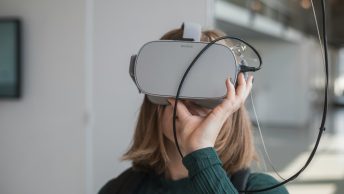
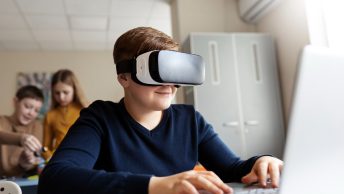
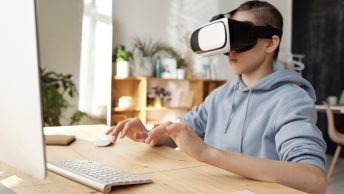
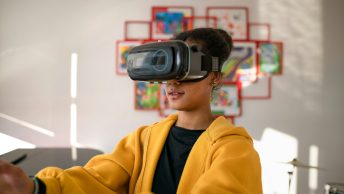
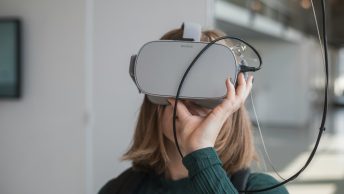
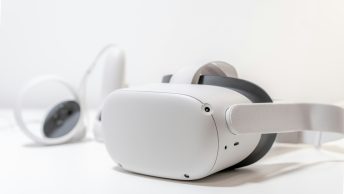
Virtual Reality (VR) is transforming the way we teach by bringing immersive experiences to the classroom. Imagine taking students on a field trip to ancient Egypt or the depths of the ocean without leaving the classroom. VR makes this possible, offering an exciting way to enhance learning and keep young learners engaged.
Creating interactive VR field trips can seem daunting, but with the right tools and strategies, it becomes a fun and rewarding process. The first step is to choose the right VR platform tailored for young learners. Some platforms offer user-friendly interfaces and a range of educational content specifically designed for children.
Once you’ve selected a platform, the next step is setting up and preparing for the VR field trip. This involves ensuring all the equipment is ready to go and that the content aligns with your learning objectives. Planning ahead is crucial to make sure everything runs smoothly.
Designing engaging and educational VR content is key to making the experience memorable. This involves crafting interactive elements that complement the lesson plan and keep students participating throughout the session. The goal is to create an environment where students feel like they are part of the experience, not just passive observers.
Maximizing student interaction and participation ensures that the VR field trip is not only fun but also educational. Prompting students to ask questions and explore their surroundings can lead to deeper understanding and retention of the material. By effectively integrating VR into your teaching strategy, you can provide young learners with an innovative and enriching educational experience.
Choosing the Right VR Platform for Young Learners
Selecting the right VR platform is crucial for creating an engaging experience for young learners. Start by looking for platforms that are specifically designed for educational purposes. Platforms like ClassVR offer a variety of kid-friendly content that aligns with school curricula. They provide easy-to-navigate interfaces that children can use without much help.
Consider the age group you are teaching. Younger students benefit from platforms with simple interfaces and clear instructions. Make sure the platform includes safety features to protect students while they navigate through virtual environments. Some VR platforms come with built-in controls that let teachers monitor and guide student activities, ensuring they stay focused on the lesson.
Next, evaluate the content available on the platform. The best VR platforms offer a wide range of educational modules, from science and history to art and geography. Check to see if the content is regularly updated and if there are options to customize lessons to fit your specific teaching goals. Customizable content allows you to tailor the VR experiences to match your lesson plans, making the learning process more relevant and impactful for students.
Finally, consider the compatibility of the VR platform with your existing classroom technology. Ensure that the VR headsets and software work seamlessly with your computers and other digital tools. This compatibility helps avoid technical difficulties and ensures smooth integration into your teaching routine.
Setting Up and Preparing for a VR Field Trip
Setting up for a VR field trip involves several key steps to ensure everything runs smoothly. First, make sure all VR equipment is charged and in good working condition. This includes VR headsets, controllers, and any additional accessories you plan to use. Performing a quick test run before the actual session can help identify and fix any issues beforehand.
Prepare a designated space in the classroom where students can use the VR equipment comfortably. Arrange desks and chairs to allow enough room for movement. Make sure the area is free of obstacles to prevent accidents while students are engrossed in their virtual environment. Having a spacious and safe area enhances the overall experience and keeps students focused on the learning activity.
Before starting the VR field trip, brief the students about what to expect. Explain the purpose of the trip, what they will see, and how they should interact with the VR environment. Clear instructions help students understand the objectives and make the most out of the experience. Provide guidelines on how to use the VR equipment properly, including how to adjust the headsets for comfort and how to navigate through the virtual scenes.
During the VR field trip, monitor students to ensure they are engaged and following the lesson plan. Walk around the room to offer assistance and answer any questions they might have. This hands-on supervision helps maintain focus and maximizes the educational value of the VR field trip. By setting up and preparing thoroughly, you create a seamless and effective VR learning experience for your students.
Designing Engaging and Educational VR Content
To make VR field trips meaningful, focus on designing engaging and educational content. Start by identifying the learning objectives. Decide what you want students to learn and experience. For example, if the goal is to teach about marine life, choose or create VR scenarios that showcase various underwater ecosystems and sea creatures.
Include interactive elements to keep students engaged. Add clickable objects that provide additional information or trigger animations. For instance, a student might click on a coral reef to learn about its role in the marine ecosystem. These interactive features make the experience more dynamic and help students retain information better.
Use age-appropriate content. Make sure the material is suitable for young learners and aligns with their cognitive levels. Avoid overly complex terminology or advanced topics that may confuse them. Instead, use simple explanations and visuals to convey the message. Bright colors and animated characters can also captivate young minds and make learning fun.
Incorporate quizzes and activities within the VR environment. After exploring a virtual location, students can complete a short quiz to test their knowledge. These assessments provide instant feedback and reinforce learning. You can also include puzzles or mini-games related to the field trip theme to make the experience more interactive and enjoyable.
Maximizing Student Interaction and Participation
Maximizing student interaction and participation is key to making VR field trips both enjoyable and educational. Encourage students to ask questions and explore the VR environment actively. Promote curiosity by highlighting interesting features or objects within the virtual world.
Assign group activities to boost teamwork and communication. Divide students into small groups and assign them tasks that require collaboration. For example, during a virtual visit to a historical site, each group can research a specific aspect of the location and present their findings to the class. This approach not only fosters cooperation but also deepens their understanding of the subject.
Host a Q&A session after the VR field trip. Allow students to share their experiences and ask questions about what they saw and learned. This gives them an opportunity to reflect on the experience and clarify any doubts. It also enables you to gauge their understanding and address any gaps in knowledge.
Create follow-up activities to reinforce learning. Assign projects or homework related to the VR field trip. For instance, students can write a short essay about their experience or create a drawing based on what they observed. These activities help solidify the concepts learned during the VR session and encourage creative expression.
Conclusion
Creating interactive VR field trips for young learners offers a unique and engaging way to enhance education. By choosing the right platform, setting up properly, designing captivating content, and fostering interaction, you can make VR a valuable tool in your teaching arsenal. Students are more likely to retain information and develop a love for learning when they are actively engaged.
At Teachers Tech, we believe in harnessing the power of technology to enrich education. Our goal is to provide resources and guidance to help educators integrate innovative tools like VR into their classrooms. By doing so, we can create dynamic learning environments that inspire students and prepare them for the future.
Ready to transform your online teaching or classroom experiences with VR? Explore our resources at Teachers Tech and discover how you can bring educational technology to life for your students. Let’s make learning an adventure!