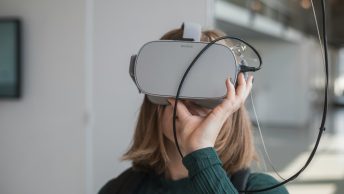
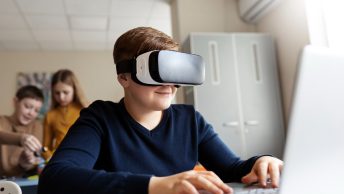
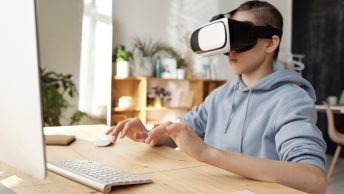
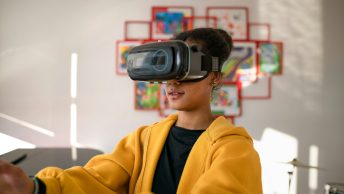
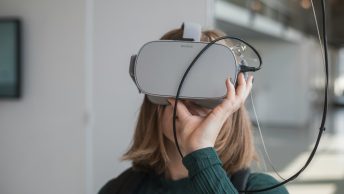
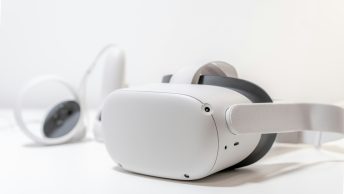
Virtual Reality (VR) is transforming how we teach and students learn. VR can significantly boost classroom participation by immersing students in interactive and engaging environments. At Teachers Tech, we’re excited about how VR can make learning more dynamic and hands-on. Instead of just reading about historical events or scientific concepts, students can experience them in a virtual world, making lessons more vivid and memorable.
Using VR in the classroom helps us break down complex concepts into understandable and visually appealing experiences. This technology captures students’ attention, fosters curiosity, and motivates them to participate more actively. Additionally, VR can accommodate different learning styles, making lessons accessible and enjoyable for all students.
As we delve into the potential of VR in education, we’ll discover how this cutting-edge technology can revolutionize our teaching methods and enhance student engagement. Let’s explore how to make the most out of VR in our classrooms, providing our students with an enriched and interactive learning experience.
Why Virtual Reality Can Boost Classroom Participation
Virtual Reality (VR) is more than just a gaming technology; it has immense potential to revolutionize the classroom. By creating immersive learning experiences, VR can captivate students’ attention like never before.
When students are fully engaged, they are more likely to participate in discussions and activities. VR enables us to transport students to different environments, historical events, or even inside the human body, helping to make complex or abstract concepts easier to understand.
VR encourages active learning. Students can interact with the content, whether it’s by manipulating objects in a virtual space or exploring a three-dimensional environment. This hands-on approach can make lessons more exciting and memorable, resulting in higher participation and better retention of information.
When students are excited about what they’re learning, they are more willing to ask questions and get involved in classroom activities.
Top VR Tools and Apps for Engaging Students
With the growing interest in VR, there are several tools and apps designed specifically for educational purposes. Here are some top VR tools and apps we can use to enhance classroom engagement:
1. Google Expeditions: This app allows students to take virtual field trips anywhere in the world. From exploring outer space to diving into the ocean, Google Expeditions offers numerous educational tours.
2. CoSpaces Edu: With CoSpaces Edu, students can create their own 3D worlds and VR experiences. This tool is great for boosting creativity and engagement by allowing students to build, code, and explore their projects in VR.
3. Nearpod VR: Nearpod combines VR with interactive lessons. Teachers can guide students through virtual environments while incorporating quizzes and activities to keep them engaged.
4. Titanic VR: This app provides an immersive way to explore the Titanic wreck. It offers a unique learning experience by combining history with hands-on exploration.
5. Anatomy VR: Ideal for science classes, this app allows students to explore the human body in 3D. It’s a fantastic tool for understanding complex biological structures and systems.
By incorporating these VR tools and apps into our teaching practices, we can create a dynamic and interactive learning environment that keeps students eager to participate and learn.
Top VR Tools and Apps for Engaging Students
Virtual Reality (VR) is revolutionizing the way we teach by making learning more interactive and immersive. To get started, it’s helpful to know which VR tools and apps can best engage our students. Some top VR tools include CoSpaces Edu, Google Expeditions, and Oculus Education. These platforms offer a range of virtual experiences, from exploring the solar system to walking through historical sites, making lessons come alive for students.
Additionally, VR apps like Tilt Brush and QuiverVision provide creative outlets for subjects like art and science. Using these tools, students can draw in 3D or interact with augmented reality (AR) content that overlays digital information on the physical world. Such experiences can capture students’ imaginations and increase their interest in subjects that might otherwise seem dry or challenging.
Step-by-Step Guide to Introducing VR in Your Classroom
Introducing VR into your classroom might seem overwhelming, but it can be done in simple steps. First, select which VR tools and apps you want to use based on your lesson plans. Make sure the content aligns with your curriculum and enhances the topics you’re teaching. Then, gather the necessary VR equipment, like VR headsets and compatible devices, ensuring that they work seamlessly with the chosen software.
Start by giving a brief introduction to VR technology and how it will be used in the classroom. Demonstrate the VR tools and apps to familiarize students with the new technology. Create a schedule for VR sessions that fits into your existing lesson plans, ensuring that all students get a hands-on experience. Finally, gradually integrate these sessions into your regular teaching routine, assessing and adjusting based on student feedback and engagement levels.
Utilizing VR to Increase Activity in the Classroom
Embracing Virtual Reality in the classroom opens up a world of possibilities for enhancing student learning and participation. With the right tools and a thoughtful approach, we can create immersive and interactive lessons that engage students in new and exciting ways. By carefully selecting VR apps and following a structured implementation plan, we can ensure that the integration of VR technology is smooth and impactful.
At Teachers Tech, we believe in the power of technology to transform education. Let’s work together to bring these innovative tools into our classrooms, creating enriching and engaging learning experiences for our students. Explore our additional resources on improving online teaching and tips for incorporating technology effectively in education.